Free Co-Parenting Calendar Template (Printable)

A co-parenting calendar template needs exactly four things: a two-week grid (because every standard schedule repeats on a fourteen-day cycle), one color per household, a row for exchange details (time, place, who drives), and a notes line for the stuff that actually causes fights — picture day, cleats, medication. Below is the full template to copy onto paper or into any calendar app, the color-code system I’ve run for three years, and the setup steps that turn a grid into the single source of truth for two houses. No login, no software required — a printer and two highlighters will do.
The template
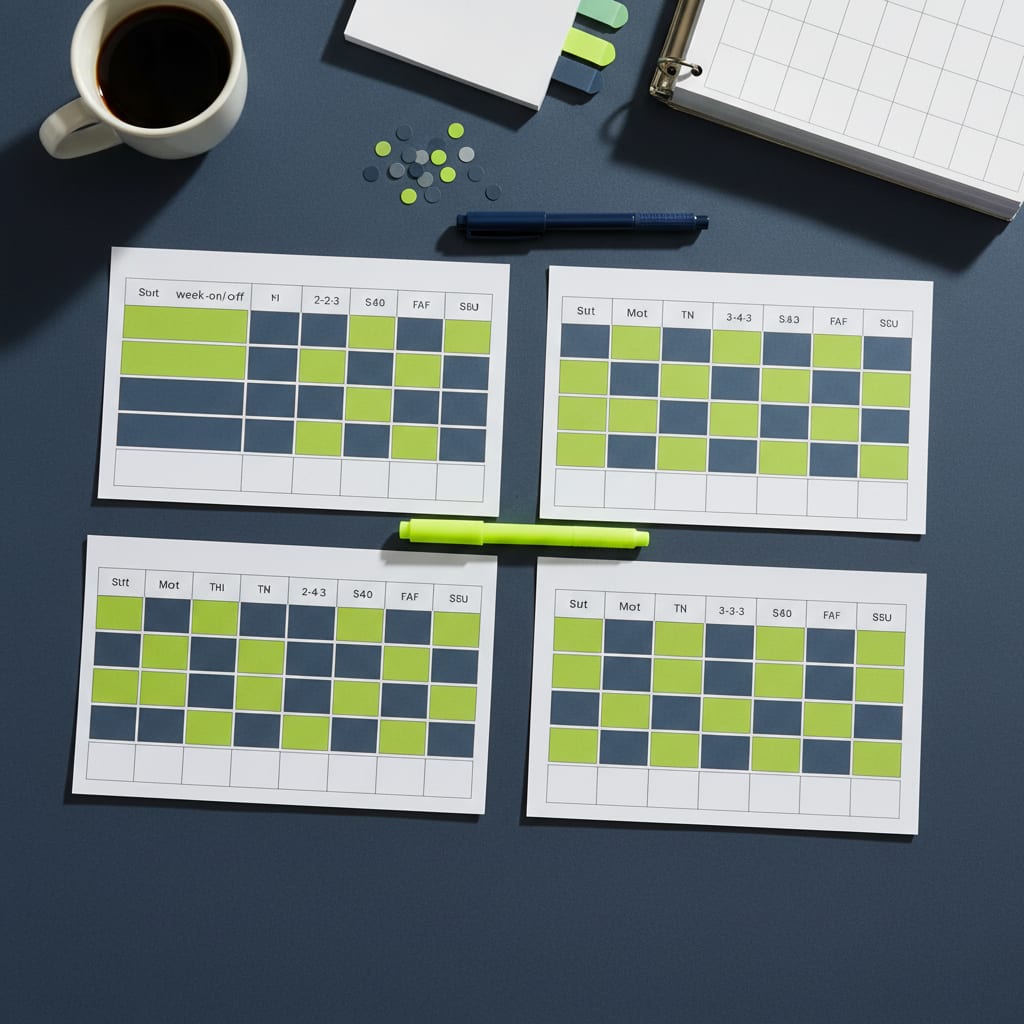
Copy this grid once per two-week cycle. Fill the parent rows with color, not names — color survives being read at a distance on a refrigerator; names don’t.
| Mon | Tue | Wed | Thu | Fri | Sat | Sun | |
|---|---|---|---|---|---|---|---|
| Week 1 — overnights | |||||||
| Week 1 — exchanges (time/place/driver) | |||||||
| Week 1 — notes (school, activities, meds) | |||||||
| Week 2 — overnights | |||||||
| Week 2 — exchanges (time/place/driver) | |||||||
| Week 2 — notes |
Print it landscape, one cycle per page, and pre-fill the overnight rows for a whole school semester in one sitting — a repeating schedule means you can color three months of cells in about ten minutes. If you’d rather go digital, the identical structure works as a shared Google or Apple calendar: one recurring all-day event per household (“Kids @ Mom’s” / “Kids @ Dad’s”) set to repeat every 14 days, plus timed events for exchanges.
The color-code that actually works
- One color per household, everywhere. Chartreuse for my house, slate for their dad’s, on every copy of the calendar in both homes and in the shared app. The kids learn it in a day — my four-year-old reads the fridge calendar by color alone.
- Color the overnight, not the day. The cell shows where the kids sleep that night. Exchange days stop being ambiguous the moment you adopt this rule.
- A third color for exceptions only — swaps, holidays, school breaks. If the exception color starts appearing weekly, you don’t have exceptions; you have a different schedule, and it’s time to revisit the comparison hub.
Filling it in, schedule by schedule
The overnight rows are just your rotation transcribed. For a 2-2-3: color Mon–Tue yours, Wed–Thu theirs, Fri–Sun yours in week one, then invert week two. For a 2-2-5-5: the midweek columns get the same color both weeks and only the Fri–Sun block alternates — visually the calmest grid of the bunch. Week-on/week-off is one solid color bar per row. Every-other-weekend is mostly one color with the alternate weekend blocked out — put real detail in the exchange rows there, because with fewer handoffs, each one carries more weight.
The exchange row is where the template earns its keep. “Friday” is not an exchange; “Friday, school pickup, Dad drives, bag packed Thursday night” is an exchange. Write the full protocol into the row once, then just tick it — ambiguity, not malice, causes most handoff fights.
Making it the single source of truth
A calendar only ends arguments if both houses treat it as canonical. The setup:
- Agree that the calendar wins. Any swap is real when it’s on the calendar, not when it was mentioned at a handoff. Texted requests get answered by editing the calendar (paper users: both copies, same day).
- Put a copy where the kids can see it. Refrigerator height. Kids who can see whose night it is ask fewer anxious questions — the calendar answers before you do.
- Add the holiday schedule as an overlay, in the exception color, as far ahead as your parenting plan defines it. Holidays override the rotation, and every holiday penciled in advance is a December argument you don’t have.
- Review at a standing interval. We do a ten-minute look-ahead at the first exchange of each month — upcoming breaks, activity sign-ups, swap requests. Scheduled maintenance beats emergency negotiation.
Two honest notes. If your situation is higher-conflict, a paper grid may not be enough — court-admissible co-parenting apps exist precisely to timestamp who proposed what, and for documentation questions you want a family-law attorney, not a template; a blog is not a lawyer. And if the overnight colors are set but the kid logistics still wobble — especially sleep in the baby-and-toddler years — the calendar’s companion system is keeping both homes on one routine, covered in Two Homes, One Bedtime.
FAQ: co-parenting calendar templates
What should a co-parenting calendar include?
Four layers: overnights (color-coded by household), exchange logistics (time, place, driver), a notes line for school and activities, and a holiday overlay that overrides the rotation. Anything less and the arguments move into the gaps.
Is a paper calendar or an app better for co-parenting?
Paper is unbeatable for kid visibility on a refrigerator; a shared app is unbeatable for two-house syncing and edit history. Most functional setups use both — the app as the source of truth, paper as the kid-facing display. Higher-conflict situations lean toward dedicated co-parenting apps for the documentation trail.
Why is the template two weeks instead of one month?
Because the standard schedules — 2-2-3, 2-2-5-5, week-on/week-off, every-other-weekend — all repeat on a fourteen-day cycle. A two-week grid captures one full cycle exactly, then repeats forever; monthly grids chop the pattern mid-cycle.
How far ahead should we fill in the calendar?
Overnights: a school semester at a time, since the rotation repeats. Holidays and breaks: as far as your parenting plan defines them, ideally the whole year each January. Exchanges and notes: rolling, at a standing monthly review.